
The Free Email Spam Checker And Deliverability Test Checklist: Fix SPF, DKIM, DMARC
Email deliverability isn’t just about hitting “send” and hoping for the best. Even well-written emails can end up in spam if your technical setup isn’t aligned with modern inbox standards. With email providers becoming stricter every year, authentication issues and misconfigurations are now among the top reasons legitimate emails fail to reach the inbox.
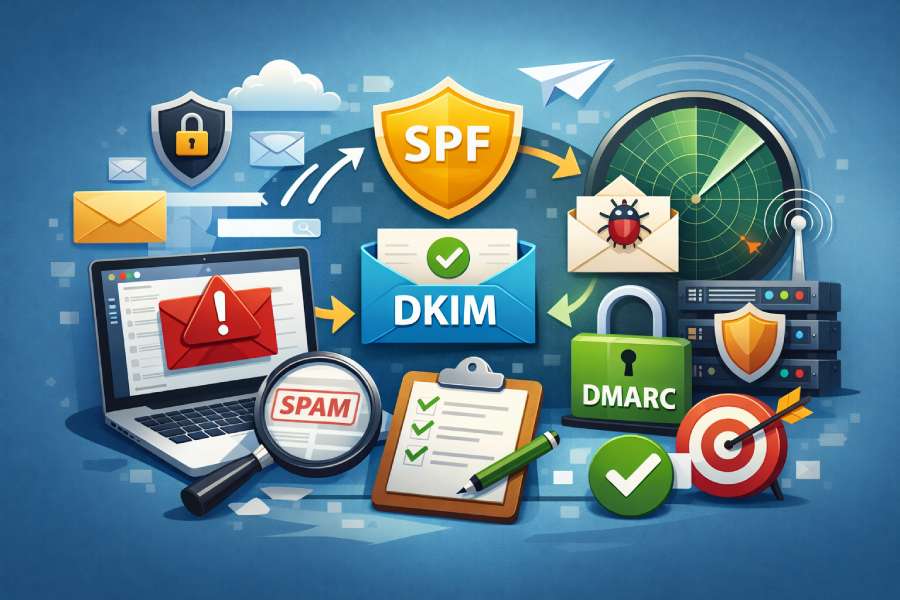
This free email spam checker and deliverability test checklist is designed to help you quickly identify and fix the most common problems affecting your email performance. By focusing on essential authentication protocols like SPF, DKIM, and DMARC, you’ll gain clarity on how mailbox providers evaluate your domain, detect spoofing attempts, and decide whether your emails are trusted or blocked.
Whether you’re running marketing campaigns, transactional emails, or outbound outreach, this checklist gives you a practical, step-by-step way to improve inbox placement and protect your sending reputation.
What a free email spam checker does and why deliverability tests matter
What an email spam checker actually checks
A free email spam checker is an email testing tool that analyzes the technical and content factors that determine email deliverability. You send a test email to a unique address, and the service runs a deliverability test across key signals used by spam filters, returning a consolidated spam score and detailed guidance. Leading options include Unspam.email, mail-tester.com, Folderly, and EasyDMARC. These platforms surface issues that impact inbox placement and email performance, such as missing SPF, DKIM, or DMARC, misconfigured reverse DNS, or a listing on an email blacklist, domain blacklist, or IP blacklist.
Beyond authentication, a good free spam checker runs a newsletter spam test and email template check. It flags spam trigger words, short URLs, broken links, and missing unsubscribe header fields. Many also provide email preview insights, inbox placement simulations across Gmail, Outlook, and Yahoo, and a spam words checker to minimize content-specific risk.

Why deliverability tests matter to outcomes
Deliverability tests matter because inbox placement drives inbox rate, open rate, and ultimately ROI from email marketing, outreach, and automated outreach. Even the best creative fails if your email campaign lands in the spam folder. A routine deliverability test reduces preventable deliverability issues by validating email authentication and infrastructure before you launch.
From startups in Michigan to global organizations like IBM, Intuit, Comscore, Depositphotos, Miro, Fairmont, and Moz, teams that depend on email placement regularly audit domain health. Advice from practitioners on the Google Dev Advisory Board (for example, Ahmad Awais) and copy experts like Mary A. B. at Buywords frequently emphasizes preflight checks—SPF, DKIM, DMARC, reverse DNS, and content review—because they directly influence sender reputation and email deliverability.
What’s in the report: signals that govern inbox placement
Expect a spam test report to include:
- Authentication: SPF, DKIM, DMARC, reverse DNS, and optional BIMI
- Reputation: sender reputation metrics, any email blacklist, domain blacklist, or IP blacklist hits
- Content: spam trigger words, subject line analysis, email body analysis, unsubscribe mechanism and unsubscribe header status, and broken links or short URLs
- UX and accessibility: email accessibility checks, email preview, heatmap or AI eye-tracking guidance to improve recipient engagement
Together, these signals drive your spam score and forecast inbox placement across major Email Service Providers and their email filters.

How spam filters score email: authentication, reputation, and content signals
Authentication signals: SPF, DKIM, DMARC, reverse DNS, and BIMI
- SPF confirms the sending IP is authorized for your domain.
- DKIM cryptographically signs content so providers like Gmail, Outlook, and Yahoo can verify integrity.
- DMARC aligns SPF or DKIM with your visible From domain and specifies enforcement.
- reverse DNS maps your IP to a legitimate hostname, supporting IP trust and reducing false positives.
- BIMI, while not a direct spam filter control, enhances brand trust and can support incremental inbox placement by complementing strong authentication.
Collectively, a rigorous SPF & DKIM check plus DMARC policy is foundational to email authentication and email deliverability.
Reputation and infrastructure: sender reputation and blacklists
Spam filters weigh sender reputation heavily. Signals include consistent volume, low complaint rates, and healthy infrastructure. Appearances on an email blacklist, domain blacklist, or IP blacklist can depress inbox placement overnight. A blacklisted domain often stems from poor list hygiene, sudden spikes, or compromised servers. Maintaining domain health requires stable DNS settings, correct reverse DNS, and a clean IP history with your email platform or Email Service Providers.
Content and UX: what your message says and how it behaves
Filters evaluate content through spam trigger words, formatting patterns, and link hygiene. Subject line analysis and email body analysis help you remove risky phrases, while a spam words checker prevents accidental language flags. Broken links, aggressive use of short URLs, or a missing unsubscribe mechanism and unsubscribe header degrade trust. An email template check, template review, and email copy review ensure clarity, compliance, and email accessibility—factors that reduce friction and improve recipient engagement.
Engagement signals: behavior after delivery
Long-term spam filters reward engagement. Consistent opens, clicks, and replies boost inbox placement. Monitor inbox rate and open rate across campaigns and iterate using email content analysis to protect sender reputation.
Quick-start: run a free spam test and interpret the report (step-by-step)
Step 1: Send a test email to a generated address
Use a free spam checker such as Unspam.email, mail-tester.com, or Folderly. Create a test address and send a representative test email—subject, From, and content identical to your upcoming email campaign. If it’s a newsletter spam test, include your full footer and unsubscribe mechanism.
Step 2: Verify authentication
Review the SPF, DKIM, and DMARC results. Ensure SPF passes for your envelope sender, DKIM signatures verify, and DMARC alignment succeeds. Confirm reverse DNS for your sending IP resolves to a legitimate hostname. If available, check BIMI readiness as an extra trust signal.
Step 3: Check reputation and blacklists
Run blacklist scans. If you hit an email blacklist, domain blacklist, or IP blacklist, follow remediation steps: improve list hygiene, stop sending from the affected resource, request delisting, and investigate any compromise. Tools from EasyDMARC and your Email Service Providers can help trace the cause. Ensure your DNS settings and domain health are stable and that your IP isn’t shared with abusive senders.
Step 4: Review content for triggers and UX gaps
Use subject line analysis and email body analysis to identify spam trigger words. Replace or rephrase flagged terms using a spam words checker. Fix broken links, avoid unnecessary short URLs, and ensure your unsubscribe header is present and your unsubscribe mechanism is visible. Run a template review and email copy review; many platforms provide email preview, heatmap, and AI eye-tracking signals to improve clarity and clicks.
Step 5: Simulate inbox placement by provider
Run inbox placement tests to see where you land at Gmail, Outlook, and Yahoo. Note any spam folder placements and provider-specific filters. Some tools correlate spam score with likely email placement scenarios so you can prioritize fixes that yield the biggest gains.
Step 6: Apply fixes, retest, and document a checklist before sending
Implement changes, repeat the deliverability test, and track progress. Keep a checklist before sending that includes SPF & DKIM check, DMARC alignment, reverse DNS verification, blacklist scan, and content review. For cold email or automated outreach, test frequently because new sequences can trigger deliverability issues. As campaigns scale, consider expert help and continue monitoring inbox rate, open rate, and downstream ROI.

SPF essentials: how it works, how to publish/fix it, and pass alignment
How SPF works
SPF (Sender Policy Framework) is a DNS TXT record that lists the IPs and hosts allowed to send mail for your domain. When your message arrives, the receiving server checks the connecting IP against your SPF record. A pass contributes to a better spam score and supports email deliverability. Combined with DKIM and DMARC, SPF strengthens email authentication and stabilizes inbox placement.
How to publish or update SPF
- Locate your domain’s DNS settings at your registrar or host.
- Add or edit a TXT record at the root: v=spf1 include:esp.example.com ip4:203.0.113.10 -all
- Use include mechanisms for Email Service Providers you use; add ip4/ip6 for dedicated senders.
- Prefer -all once you’re confident your authorized senders are complete; otherwise use ~all temporarily.
- Verify reverse DNS for any sending IP; mismatches can harm reputation and trigger IP blacklist hits.
- Re-test SPF in a spam test to see impact on spam filters and spam score.
Fix common SPF errors
- Avoid multiple SPF TXT records; keep one consolidated record.
- Respect the 10 DNS lookup limit; too many includes cause permerrors and deliverability issues.
- Remove legacy vendors after migrations; stale includes risk blacklisted domain exposure.
- Align SPF with your MTA HELO domain and envelope-from to reduce surprises with strict filters.
Multi-sender setups
If you send from multiple platforms (marketing, transactional, support), map each to a single, audited SPF include. Confirm each provider’s reverse DNS and watch for any email blacklist, domain blacklist, or IP blacklist listings tied to shared pools.
Cold email considerations
Cold email sequences often use new domains or subdomains. Warm them slowly, publish a clean SPF, sign with DKIM, align with DMARC, and run a frequent deliverability test. Monitor domain health closely to prevent reputation dips.
Pass alignment with DMARC
SPF alone is not enough; DMARC requires identifier alignment. Ensure the domain in the SPF-authenticated path (MAIL FROM or HELO) matches—or is a subdomain of—the visible From domain. If DKIM is present and aligned, DMARC can pass even if SPF fails, but maintaining both improves resilience and email placement. Over time, move DMARC from none to quarantine/reject as signals strengthen. BIMI adoption typically depends on DMARC enforcement and can support incremental trust.
Validate SPF with tools and retest
Use a free email spam checker to run an SPF & DKIM check in context and confirm DMARC results. Validate records with Unspam.email, mail-tester.com, and EasyDMARC, and confirm that reverse DNS maps correctly. Send a test email after every change, watch your spam score, and verify improved inbox placement across Gmail, Outlook, and Yahoo before scaling your email campaign.

DKIM fundamentals: keys, selectors, canonicalization, and troubleshooting fails
How DKIM works: keys and selectors
DomainKeys Identified Mail (DKIM) signs each message with a private key and publishes a corresponding public key in DNS under a selector you control. A receiving server validates the signature to confirm the message wasn’t altered and that it’s authorized by the domain. For stronger email deliverability and reliable inbox placement, rotate 1024–2048-bit keys regularly, maintain clear naming for selectors (e.g., s1, s2), and keep your DNS settings tidy so Email Service Providers like Gmail, Outlook, and Yahoo can query them without timeouts. Pair your setup with an SPF & DKIM check in an email spam checker before each launch to catch issues early.
Canonicalization choices and body length tag
DKIM canonicalization (simple vs relaxed) determines how whitespace and line-wrapping variations affect signature validation. Most teams use relaxed/relaxed to avoid false fails caused by minor gateway modifications, improving results in a deliverability test and lowering the risk of a higher spam score. If intermediate systems append footers, use the l= (body length) tag to sign only a portion of the body; test with a spam test and an email preview to ensure no visible content gets cut.
Troubleshooting DKIM fails across providers
When DKIM fails at specific providers (e.g., passes at Gmail but fails at Outlook), look for DNS propagation delays, a malformed TXT record, or an MTA that’s rewriting headers. Confirm the selector points to the correct key, check TTLs, and ensure your email platform isn’t altering the From header after signing. If failures persist, run a newsletter spam test with seed inboxes to isolate which hops alter the message, and inspect headers for d=, s=, and bh= values.
Quick DKIM diagnostics checklist
- Publish only one TXT per selector; avoid stray quotes or semicolons.
- Use 2048-bit keys where supported; rotate keys every 6–12 months.
- Validate with EasyDMARC, Unspam.email, or mail-tester.com, then send a test email to seed addresses to verify inbox placement.

DMARC done right: monitor-to-enforce, alignment modes, and actionable reports (rua/ruf)
Start in monitor: p=none with rua/ruf
Deploy DMARC at p=none first to monitor authentication outcomes across SPF and DKIM. Send aggregate (rua) and forensic (ruf) reports to a dedicated mailbox or a tool like Folderly or EasyDMARC for email content analysis and authentication insights. This reduces deliverability issues while you map all legitimate senders and measure inbox rate and open rate shifts before enforcement.
Moving to quarantine/reject
Once your sources pass SPF, DKIM, and alignment, progress to p=quarantine, then p=reject. Incrementally increasing enforcement improves email placement by reducing spoofed traffic and raising sender reputation. Use a deliverability test and an email testing tool or free spam checker before each step; confirm that cold email, automated outreach, and marketing streams are aligned to avoid unexpected drops or a spike in spam folder placement.
Alignment strict vs relaxed (SPF/DKIM)
For DMARC alignment, relaxed (r) allows subdomain variance while strict (s) requires exact domain matches. Many teams prefer relaxed alignment for SPF and DKIM to accommodate multi-domain architectures while still protecting email marketing programs. Track spam score, inbox placement, and email performance as you tune alignment, then lock down critical domains with strict alignment when feasible.
Reading DMARC XML: fields that matter
- Source IP, aligned identifiers (SPF/DKIM), and disposition (none/quarantine/reject)
- Failure reasons and per-sender volume to spot shadow platforms and deliverability issues

Beyond SPF/DKIM/DMARC: domain/IP reputation, reverse DNS, TLS, and BIMI readiness
Reverse DNS and HELO/EHLO naming
Set reverse DNS (PTR) so you’re sending IP maps cleanly to a hostname that matches your HELO/EHLO. A correct reverse DNS configuration boosts email authentication trust and can reduce hits from spam filters. Keep HELO consistent and ensure your IP isn’t on an IP blacklist or tied to a blacklisted domain.
TLS, MTA-STS, and certificate hygiene
Use enforced TLS with modern ciphers; configure MTA-STS and TLS-RPT to upgrade transport security. While TLS doesn’t directly affect spam score, broken chains or mismatched certs can cascade into deliverability issues. Verify with a deliverability test and log inspection, especially when onboarding new Email Service Providers or changing infrastructure.
Domain/IP reputation and blacklists monitoring
Regularly monitor domain blacklist and IP blacklist entries, as a single listing can tank inbox placement and ROI. Track domain health with tools from Unspam.email, Folderly, EasyDMARC, and community sources (e.g., Moz mentions) to catch an email blacklist quickly. If you find a blacklisted domain, remediate sending patterns, request delisting, and re-warm gradually using a spam test plus seed-list measurement.
BIMI basics and VMC considerations
Brand Indicators for Message Identification (BIMI) displays your verified logo alongside messages when DMARC is at enforcement. Prepare BIMI DNS, ensure SVG Tiny P/S compliance, and consider a Verified Mark Certificate. BIMI readiness can lift recipient engagement subtly and nudge email placement positive signals across Gmail and Yahoo.

Content, links, and list hygiene factors that trigger spam filters (and how to fix them)
Spam trigger words, subject line analysis, and body copy pitfalls
Overuse of spam trigger words, misleading capitalization, and emojis in subject lines can inflate your spam score. Run subject line analysis and email body analysis with a spam words checker and email copy review to mitigate risk. Teams from startups in Fairmont, Michigan to global brands like IBM, Intuit, Comscore, Depositphotos, Miro, and Buywords benefit from a template review process that keeps tone and structure consistent across an email campaign.
Links, tracking, broken links, and short URLs considerations
Spam filters scrutinize links: avoid mismatched anchors, broken links, excessive tracking parameters, and opaque short URLs. Align link domains with your From domain where possible, and watch for compromised redirects that can land you on a domain blacklist. Periodically run an email template check, plus a deliverability test, to validate that link wrapping by your email platform doesn’t trigger email filters.
List hygiene, unsubscribe header/mechanism, recipient engagement, email accessibility
High complaint rates and low engagement degrade sender reputation fast—especially for Nureply or no-reply email streams that lack proper engagement signals. Use a list hygiene process, add a List-Unsubscribe header and a clear unsubscribe mechanism, and monitor engagement cohorts to protect email deliverability. Improve email accessibility (semantic HTML, alt text, readable contrast) to boost clicks and the positive signals that influence inbox placement and overall email marketing health.
Testing content: checkers, previews, and behavioral insights
Before every send, validate with an email spam checker and run a spam test across Gmail, Outlook, and Yahoo. Combine newsletter spam test results with email preview, heatmap, and AI eye-tracking insights to refine layout, hierarchy, and CTAs. Repeat deliverability test cycles until inbox placement stabilizes across seeds and your open rate meets benchmarks.
Deliverability troubleshooting flow and the complete pre-send checklist
Step-by-step troubleshooting flow
- Authentication first: confirm SPF, DKIM, DMARC, and reverse DNS; fix DNS settings and rerun tests.
- Reputation next: check IP blacklist, domain blacklist, and any email blacklist hits; remediate sending patterns.
- Content and links: remove spam trigger words, resolve broken links, align link domains; re-check spam score.
- Infrastructure: verify TLS, HELO, and queue behavior; ensure each test email arrives intact in the recipient’s inbox.
- Measurement: compare inbox rate and email placement across seeds; audit deliverability issues by provider.
Pre-send checklist before sending
- SPF, DKIM, DMARC validated; BIMI and TLS verified; run an SPF & DKIM check with an email testing tool.
- Run a free spam checker (e.g., mail-tester.com), then a deliverability test using seed lists and a spam test.
- Perform email template check, template review, and email copy review; conduct subject line analysis and email body analysis.
- Confirm unsubscribe header and unsubscribe mechanism; test cold email and outreach variants separately.
- Verify domain health, sender reputation, and no blacklisted domain; log a checklist before sending in your workflow.
- Use platforms like Unspam.email, Folderly, and EasyDMARC; seek expert help if performance stalls.
Metric validation: proving impact
Tie inbox placement lift to business outcomes by tracking open rate, click, conversion, and ROI. When email performance drops, compare before/after spam score, blacklist status, and authentication alignment. Share learnings internally, cite reliable guidance (e.g., Google Dev Advisory Board notes), and coordinate with Email Service Providers to stabilize results.

FAQs
What’s the fastest way to diagnose a sudden drop in inbox placement?
Start with a deliverability test and an email spam checker to assess spam score, then verify SPF, DKIM, DMARC, and reverse DNS. Check for any IP blacklist or domain blacklist entries and remove spam trigger words found in your latest template.
Do BIMI and TLS directly improve email deliverability?
They’re indirect signals. TLS prevents transport issues and BIMI rewards strong authentication (DMARC at enforcement), which together can reduce spam filters friction and help email placement.
How often should I rotate DKIM keys and update selectors?
Rotate every 6–12 months or after vendor changes. Publish new selectors, validate via test email, and run a spam test to confirm seamless inbox placement.
What should be in my unsubscribe header and mechanism?
Include a List-Unsubscribe header (mailto and HTTPS) and a visible one-click unsubscribe mechanism in the footer. This lowers complaints, improves recipient engagement, and stabilizes sender reputation.
Which tools can I use for quick checks?
Use mail-tester.com for a quick free spam checker, Unspam.email for seed tests and AI eye-tracking, and EasyDMARC for DMARC reports. Folderly helps with domain health and remediation when deliverability issues persist.
Key Takeaways
- Authenticate comprehensively with SPF, DKIM, DMARC, reverse DNS, and enforce gradually to protect sender reputation.
- Monitor domain/IP reputation and fix blacklist hits quickly to preserve inbox placement and email performance.
- Reduce spam score by cleaning content, removing spam trigger words, and fixing broken links and short URLs.
- Use an email spam checker, deliverability test, and spam test pre-send; validate with seed lists across Gmail, Outlook, and Yahoo.
- Maintain list hygiene, clear unsubscribe header/mechanism, and strong email accessibility to boost engagement and return on investment(ROI).